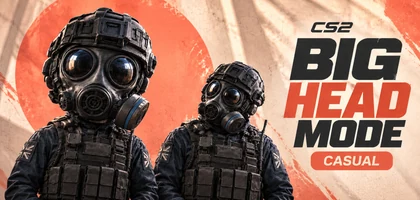
How to play Big Head Mode in CS2
Open matchmaking, select Casual and choose a map group labelled Big Head Mode. Queue for that group: the label shows where the modifier is active.
Follow the label in your menu rather than a particular map name. A map being available in Casual does not, by itself, mean big heads are active on it.
How Big Head Mode works
Character heads change size during matches, giving familiar player models different proportions. Valve has not explained the exact formula behind the size changes.
The modifier has been found in official Casual matches. The Premier and Competitive menus do not include this map-group label.
| Question | What we know |
|---|---|
| Where can I find it? | In official Casual, on a map group labelled Big Head Mode. |
| What determines head size? | Valve has not confirmed the exact formula or size limits. |
| Do hitboxes change? | This has not been confirmed. |
| When does Big Head Mode end? | There is no confirmed end date. |
Does a bigger head make headshots easier?
A larger model alone cannot answer that. A hitbox defines the area where the game registers a hit; a visible size change does not establish that the hitbox changed too.
What else changed in the October 28 CS2 update?
The official patch notes do not describe Big Head Mode. Valve’s listed changes include a silent reload toggle, a fix for the initial reload sound, black liquids on AMD graphics cards and some demo-rewind bugs.
Source: CS2 game files and gameplay demonstrations.
← All news