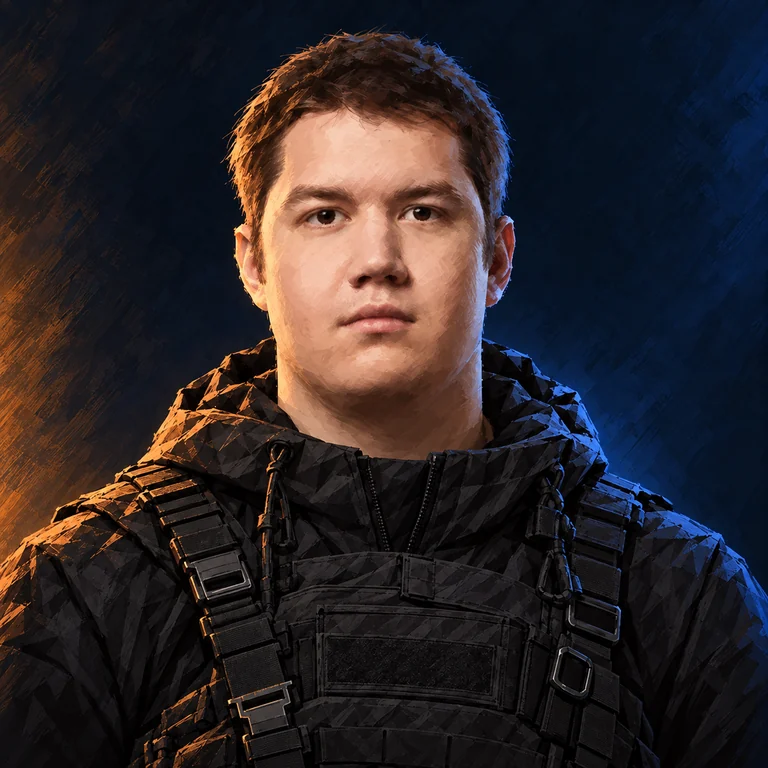
About the player
Evgeniy Mudrenov, known as Djon8, is a Counter-Strike player.
- Full name
- Evgeniy Mudrenov
- Born
- 01.04.2005
- Country
- Russia
- Team
- Nuclear TigeRES
- Role
- Rifler
- Roster status
- Main roster as reported
- Career status
- Professional activity as reported
Quick answers
- CS2 teams
- Nuclear TigeRES
- Role
- Rifler
- CS2
- Active
- Age
- 21 years
Saved in this browser, without an account.
What is Djon8’s real name?
Evgeniy Mudrenov
What sensitivity does Djon8 use?
DPI: 400 · sens: 2.00 · eDPI: 800
Which mouse does Djon8 use?
Logitech G PRO X SUPERLIGHT 2
What resolution does Djon8 play on?
1920×1080
Team history
| From | To | Team / status |
|---|---|---|
| 2023-04-01 | 2023-09-28 | BALLISTIC |
| 2023-12-27 | 2024-03-18 | ex-FLuffy Gangsters |
| 2024-03-18 | 2025-03-08 | FLuffy Gangsters |
| 2025-03-08 | 2025-06-17 | SPARTA |
| 2025-06-17 | 2026-03-18 | SPARTA Esports |
| Mar 2026 | 2026-06-04 | lavked |
| 2026-06-04 | 2026-08-17 | SPARTA Esports |
| 2026-08-17 | 2026-09-17 | Young TigeRES |
| 2026-09-17 | Present | Nuclear TigeRES |
Selected tournament results
| Date | Event | Place | Team / status |
|---|---|---|---|
| 2026-10-02 | CIS LAN Championship #8 | 3rd - 4th | NTR |
| 2026-09-30 | ESEA Season 58: European Finals | 2nd | Y.TigeRES |
| 2026-08-30 | CyberClash Open | 1st | Y.TigeRES |
Statistics
- Period
- Past 3 months
- Rating 3.0
- 1.1
- Maps in the sample
- 84
- Firepower
- 83/100
- Space creation
- 46/100
- Trading
- 61/100
- Opening duels
- 68/100
- Clutching
- 26/100
- Sniping
- 0/100
- Utility
- 47/100
- Career prize money
- $9,396
Reading this setup
Sensitivity: 2.00 at 400 DPI (800 eDPI). At 800 DPI, the equivalent sensitivity is 1. Resolution: 1920×1080. Save your current values before testing changes.
Why compare eDPI?Skins & inventory
Knives, gloves, weapon skins and other items recorded in Djon8’s Steam inventory.
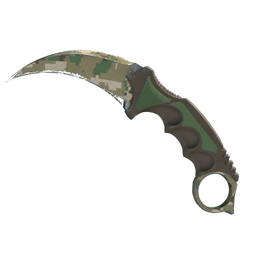
★ Karambit | Forest DDPAT (Field-Tested)
Copies: 1
View each item (1)
- Wear
- Field-Tested
- Float
- 0.241954…
- Pattern
- 579
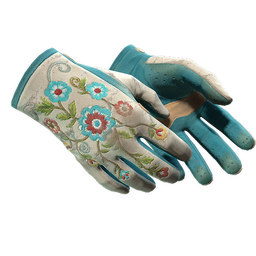
★ Driver Gloves | Garden (Battle-Scarred)
Copies: 1
View each item (1)
- Wear
- Battle-Scarred
- Float
- 0.534714…
- Pattern
- 596
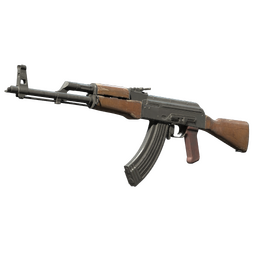
AK-47
Copies: 1
View each item (1)
- Stickers
- FaZe Clan | Copenhagen 2024 × 2
- frozen | Copenhagen 2024
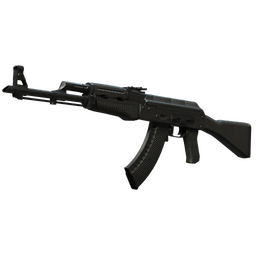
AK-47 | Slate (Battle-Scarred)
Copies: 1
View each item (1)
- Wear
- Battle-Scarred
- Float
- 0.969650…
- Pattern
- 19
- Stickers
- Speedy T × 4
This sensitivity on your DPI
Equivalent sensitivity = player DPI × player sensitivity ÷ your DPI. Zoom sensitivity is separate.
Published settings .cfg
Included settings: mouse sensitivity. Set DPI, device and display settings separately.
Save your own configuration first. Paste the commands into the developer console, or put the .cfg in your CS2 cfg folder and run exec with its filename.
Copy commands
Mouse
- DPI
- 400
- Sensitivity
- 2.00
- eDPI
- 800
- Zoom sensitivity
- 1
- Polling rate, Hz
- 1000 Hz
- Raw Input
- 1
Video
- Resolution
- 1920×1080
- Scaling mode
- Native
- Refresh Rate
- 240 Hz
Equipment
- Monitor
- Acer
- Mouse
- Logitech G PRO X SUPERLIGHT 2
- Keyboard
- Dark Project KD87A
- Headset
- HyperX Cloud III
- Mousepad
- Razer Gigantus